



Run your team
Bosferi AIChat, web search, files, calendar and menu actionsNotesShared team notesFilesFolders, QR upload, previewsCalendarOne shared team calendarSheetsSpreadsheets for your teamTrack your money
ExpensesReceipts scanned by AIOne workspace, many apps
Every app shares your people, sign in and permissions. Turn on only what you need.
View all appsNot sure where to start?
Tell us how your business runs and we'll point you to the right apps.
Browse the help centerTalk to usOne assistant your whole team can use.
Bosferi AI is a shared chat for your company. Ask anything, attach a file, search the web, and let it work in your Calendar and Menu when you turn that on.
What it does
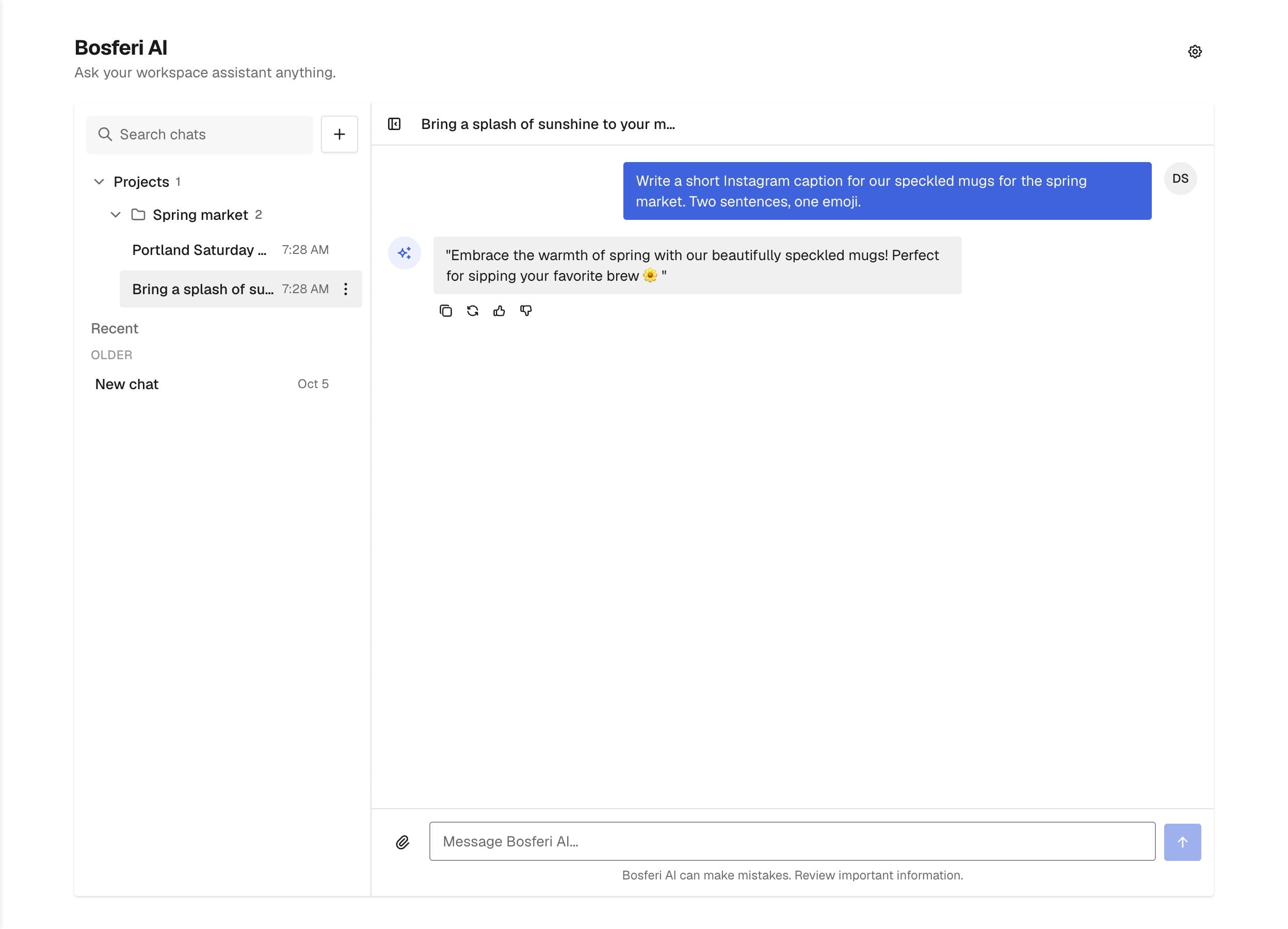
A chat assistant built for teams.
Shared by the whole company
Conversations belong to the company, not to one person. A teammate can open your thread and carry on where you stopped.
Ask about anything
Drafting, explaining, translating, brainstorming. It answers general questions too, not only business topics.
Searches the web
When a question needs current information, it can look it up on the web before answering.
Reads your files
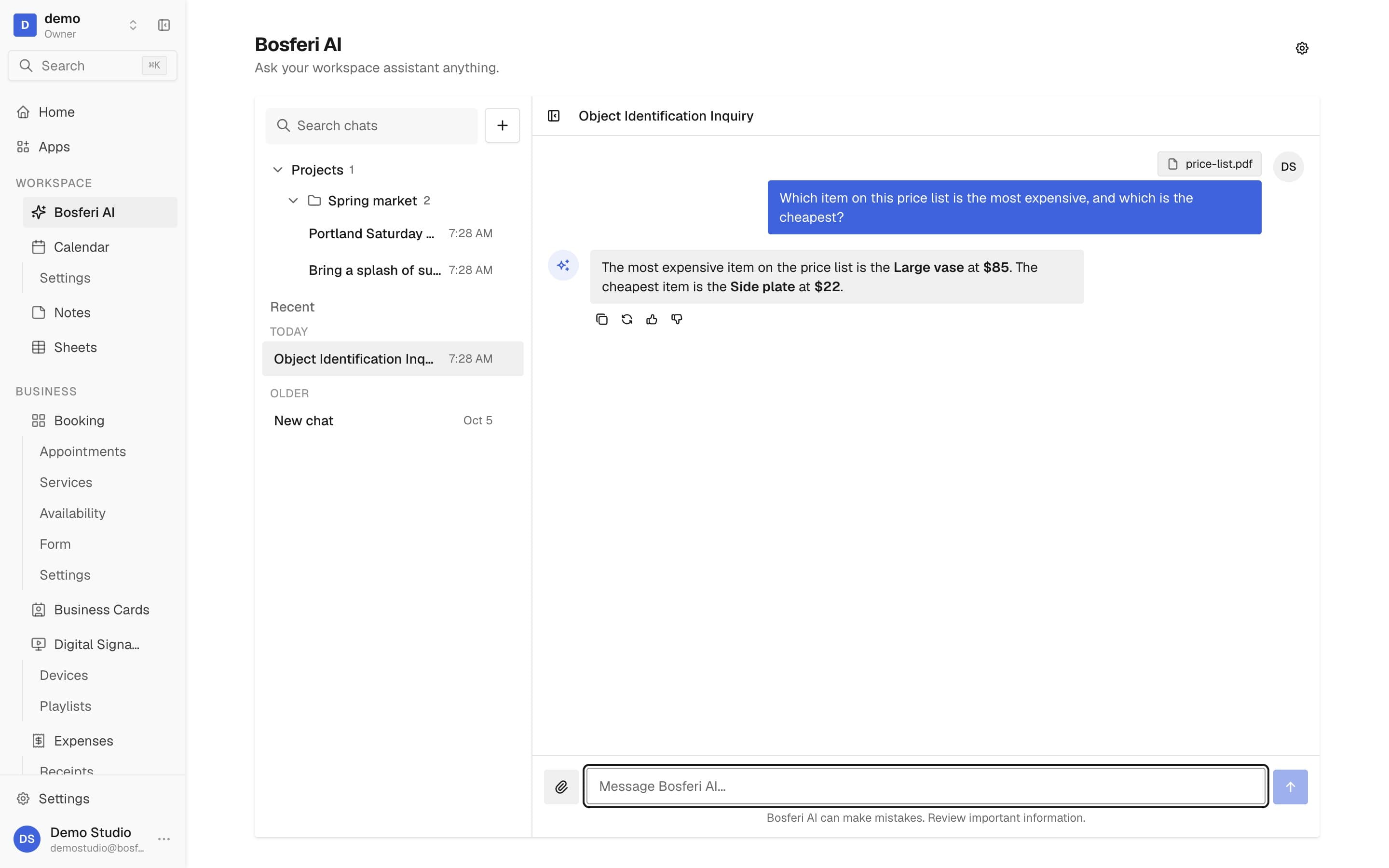
Attach an image, PDF, Word, Excel, CSV or text file up to 5 MB and ask about what is inside.
Ask it to do things
Less clicking, more asking.
Bosferi AI can act in the apps you allow it to. Each action uses the same rules as doing it yourself.
Calendar
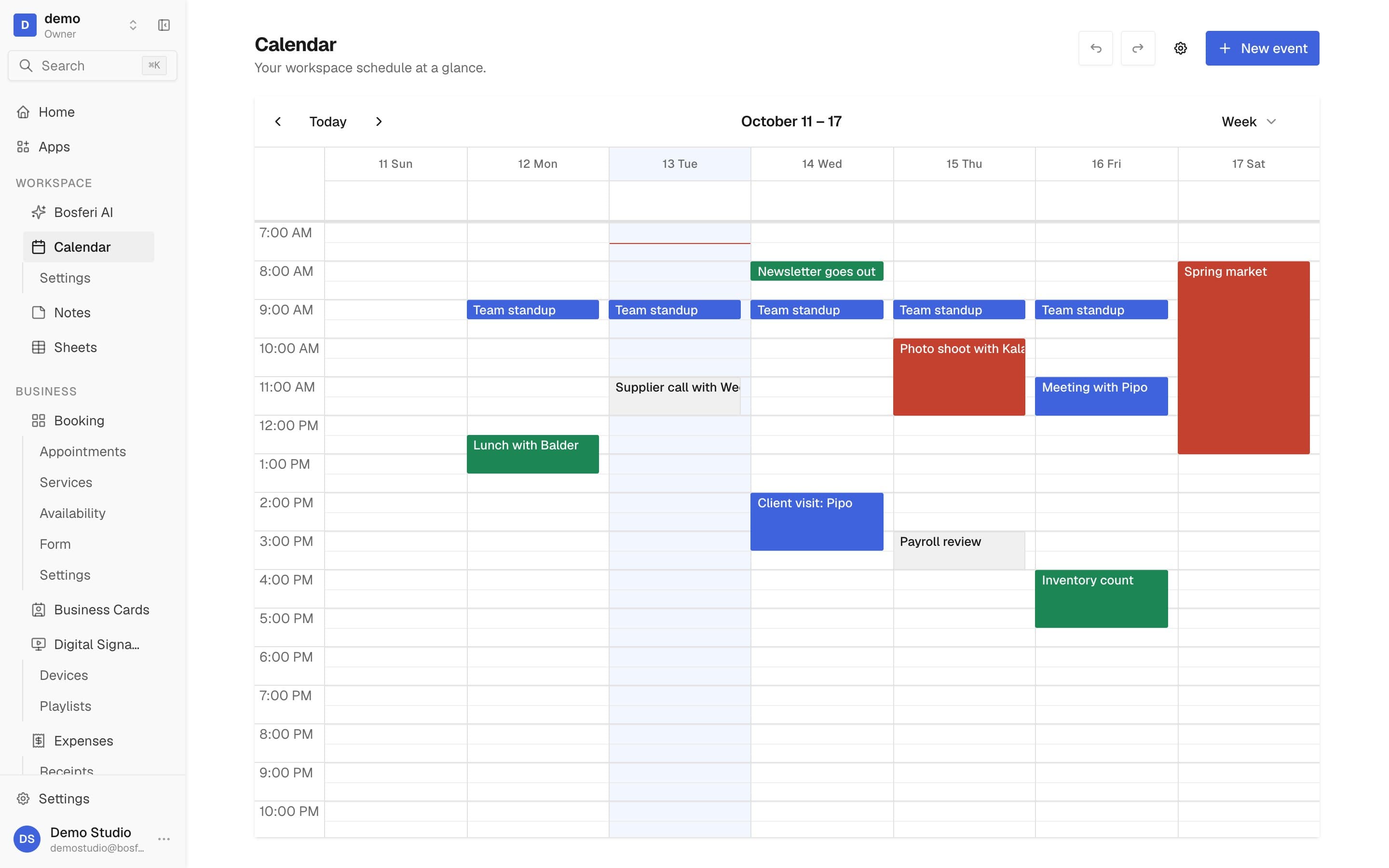
Ask what is on next week, or have it create, move or delete an event for you.
Menu
Create menus, sections and dishes, change a price, mark a dish sold out, or publish a menu.
Your apps
Ask which apps you have and what each one costs. Owners and admins can ask it to turn an app on or off.
Bosferi help
Ask how something works in Bosferi and it answers from our help articles and app guides.
You stay in control
It only goes where you let it.
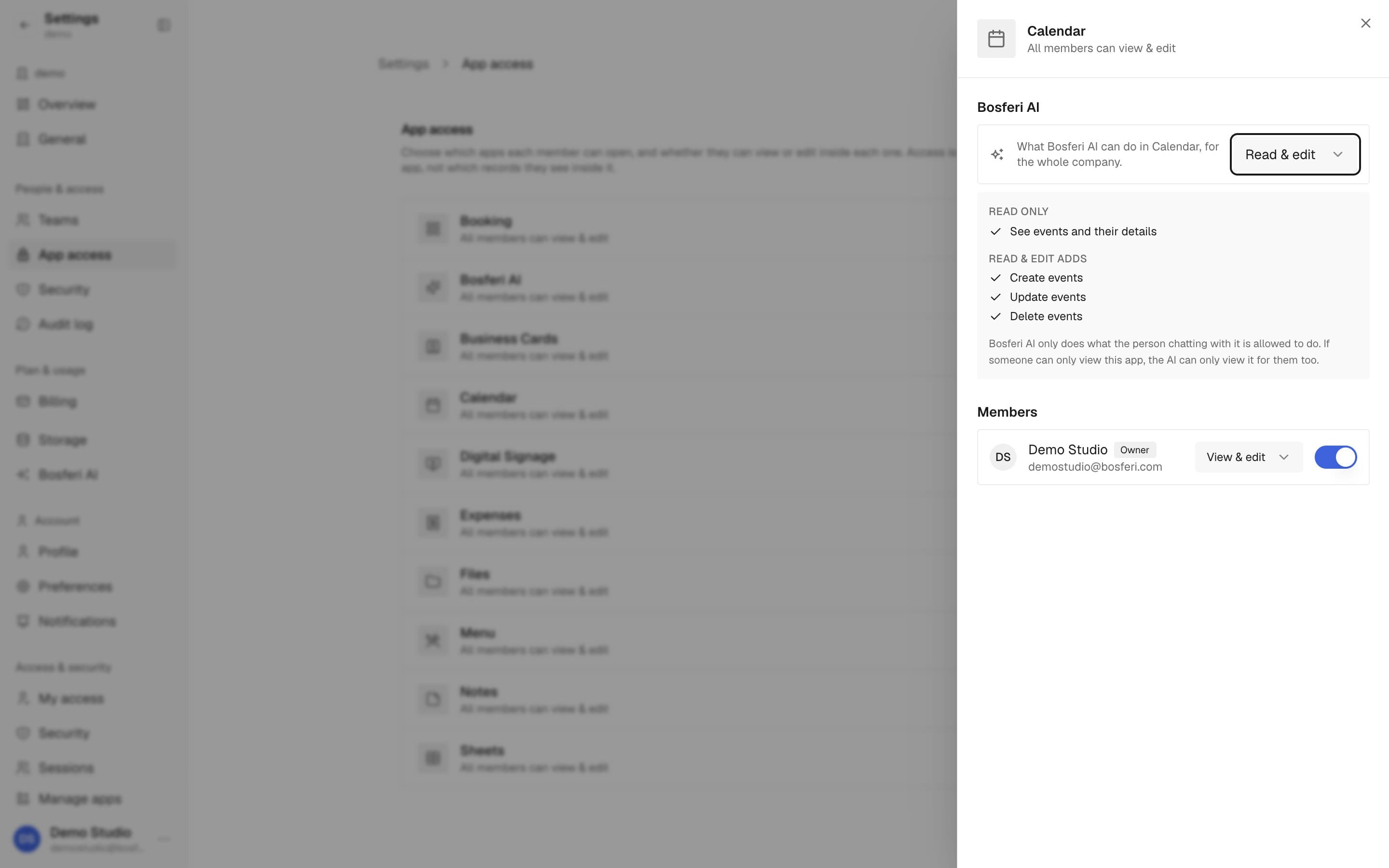
Access to your apps is off until an owner or admin turns it on, one app at a time.
Off, read only, or read and edit
In Settings, App access, choose for each app whether the AI has no access, can only look, or can also make changes.
Your team's rules still apply
If a member cannot open an app, or can only view it, the AI cannot do more than that for them either.
Nothing else is read
It does not read your notes, files, expenses or other apps. It works from what you type, the files you attach and the apps you allow.
Organized for teams
Keep your work easy to find.
Every conversation is shared, so it helps to keep them in order.
Projects with instructions
Group related chats in a project and give it instructions, so every chat in it starts with the same guidance.
Search every chat
Find an old answer by searching across all of your company's conversations.
Export to Markdown
Download all your conversations as a Markdown file whenever you want a copy.
Long threads keep their context. Older messages are summarized as a thread grows, so it does not lose track of what was said earlier.
Bosferi mobile
Your assistant in your pocket.
The Bosferi mobile app has a Bosferi AI tab with the same conversations as your web workspace.
Pick up any chat
Continue a conversation, start a new one, attach a file, search and organize projects from your phone.
Same permissions
It can act in the same apps as on the web. Choosing which apps it can reach is done on the web.
FAQ
Questions about Bosferi AI
Good to know
Bosferi AI works in Calendar and Menu. It does not work in Notes, Files, Expenses or Sheets, and it does not run automations.
Get started
Ask your first question in a minute.
Bosferi AI comes with every workspace. Start your 14-day free trial, no card required.
We use cookies for essential site functionality and, only with your consent, for analytics and advertising. Learn more.