



Run your team
Bosferi AIChat, web search, files, calendar and menu actionsNotesShared team notesFilesFolders, QR upload, previewsCalendarOne shared team calendarSheetsSpreadsheets for your teamTrack your money
ExpensesReceipts scanned by AIOne workspace, many apps
Every app shares your people, sign in and permissions. Turn on only what you need.
View all appsNot sure where to start?
Tell us how your business runs and we'll point you to the right apps.
Browse the help centerTalk to usFrom a template to a saved contact.
Here is exactly what happens from designing your card to someone saving it on their phone.
- 1
Step 1
Create a card and pick a design
Create a card, choose one of nine templates, then set your accent color, font, corner style and background.

Tip. Set the page color behind the card too, so the whole screen matches your brand.
- 2
Step 2
Add your details, photos and links
Fill in your name, title, contact details and social links, add extra fields like pronouns or a calendar link, and pick a photo and logo from Files. The preview updates as you type.

Tip. Empty fields don't show, so only fill in what you want people to see.
- 3
Step 3
Publish, then share the link or QR code
Publish the card to make it live. Then copy the link, use your phone's share sheet, or download the QR code as PNG or SVG.

Tip. Download the QR code as SVG for print. It stays sharp at any size.
- 4
Step 4
Visitors save your contact
Visitors open your card in their browser, no app needed, and tap Save Contact to add you to their phone.

Tip. Save Contact works in any phone browser, so people don't need Bosferi or any other app.
- 5
Step 5
Turn on the contact form and follow up
Turn on the contact form so visitors can leave their details and where you met. Leads show up in the Leads tab, where you can add notes or export them to CSV.
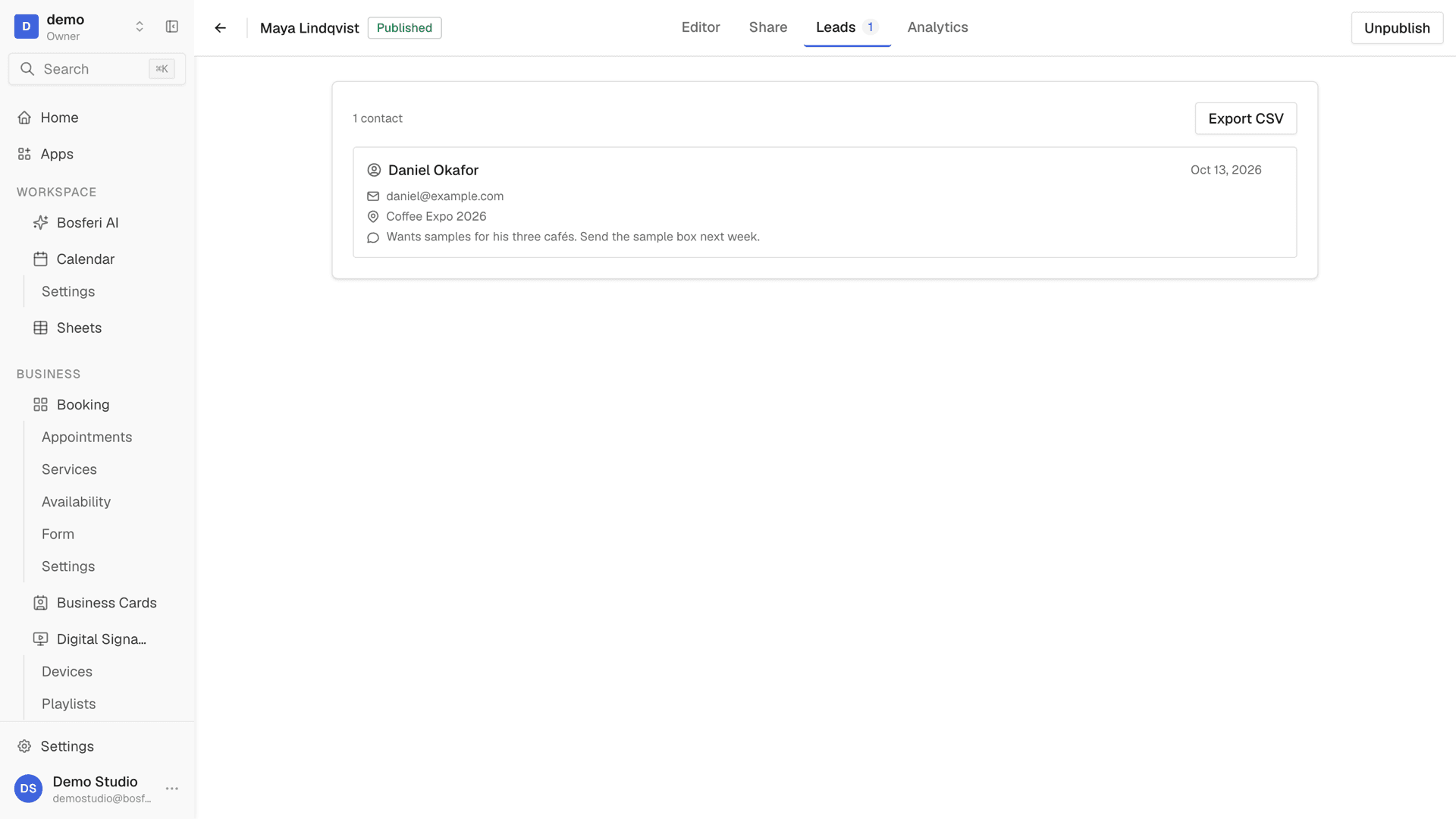
Tip. Add a note to each lead right after you meet, while you still remember the conversation.
- 6
Step 6
Assign cards to your team
Make a card for each person and assign it to them, or duplicate a card to start the next one. Each member opens their own card in the Bosferi mobile app.
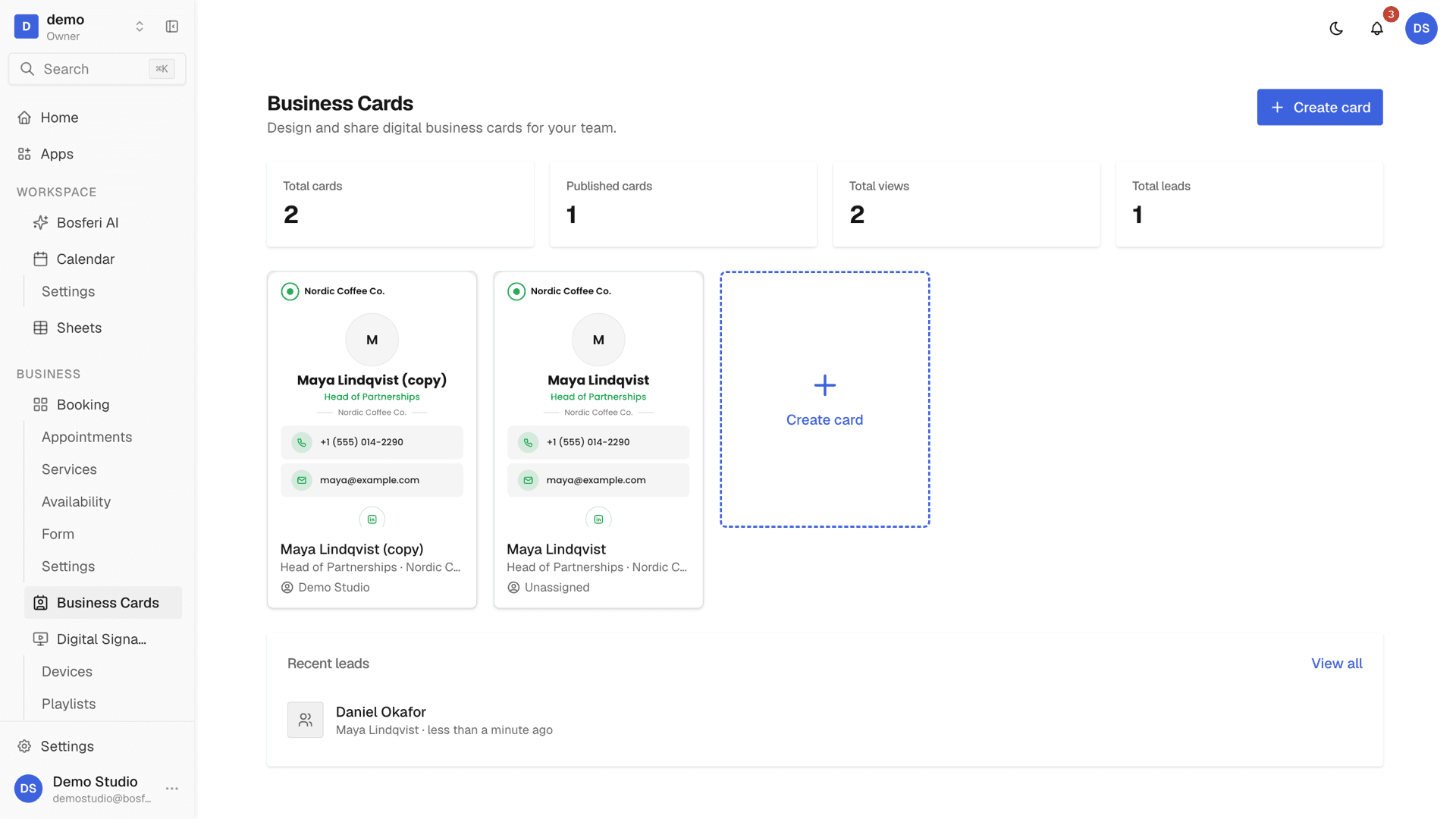
Tip. Finish one card, then duplicate it for the next person so every card keeps the same design.
Get started
Try it with your own card.
Start your 14-day free trial. No card required until you decide to keep a paid app.
We use cookies for essential site functionality and, only with your consent, for analytics and advertising. Learn more.